


Welcome back to Tip Tuesday! When we think about hosting a great gathering, we usually focus on the menu, the lighting, and the guest list. But there is another element that completely shapes the energy of the night: the soundtrack.
We’ve all experienced a party where the music is too loud to talk over in the kitchen, yet completely non-existent on the patio. If you are using a BluOS-enabled system—whether it’s a dedicated streamer, a wireless speaker, or an integrated amplifier—you already have the tools to create a flawless multi-room experience. This week, we’re breaking down how to use your app features to keep your party moving seamlessly.
Grouping with Intention
The strength of BluOS is syncing multiple rooms in perfect harmony, but a party calls for deliberate zones that match the dynamic of each space.
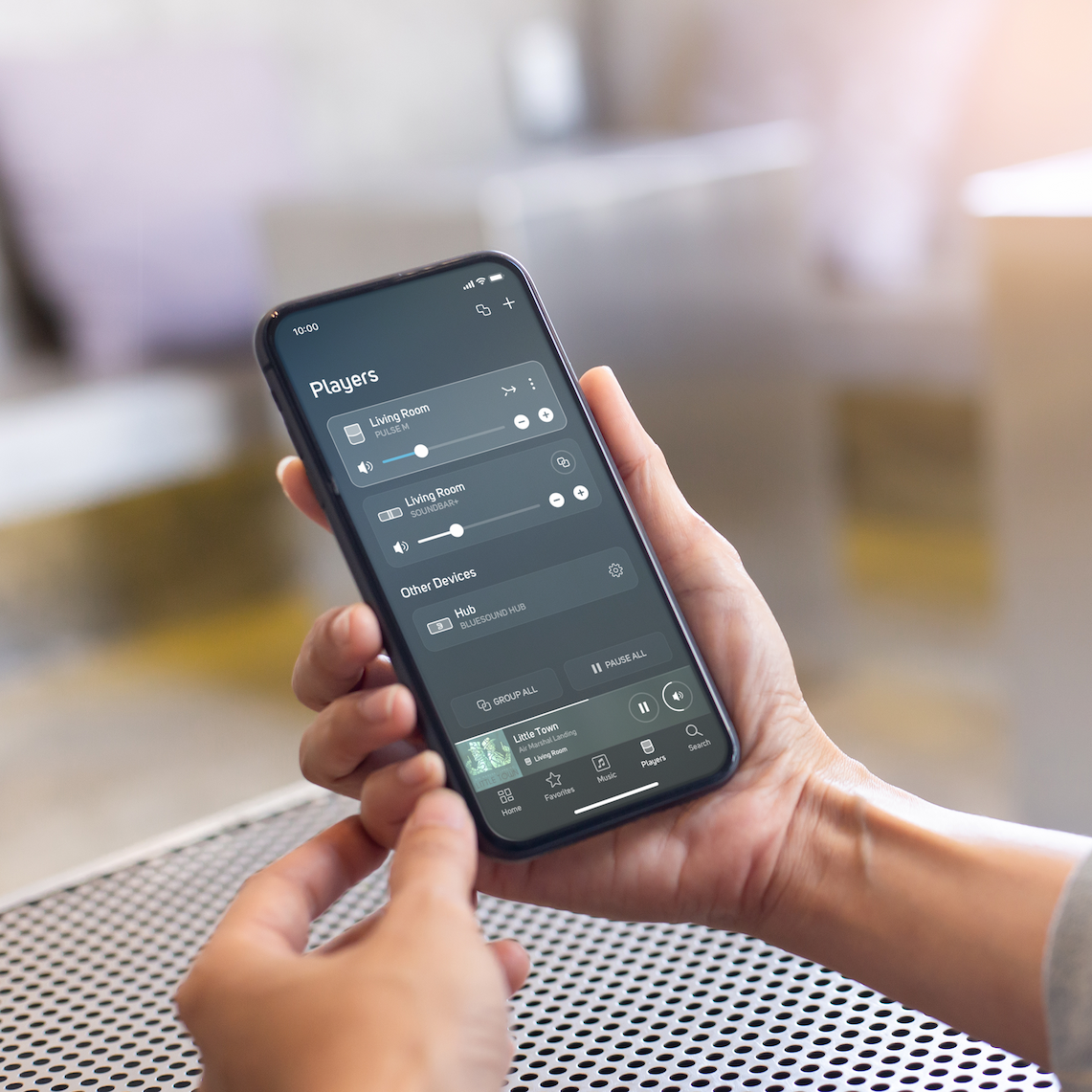
Instead of a single, uniform wall of sound, think about how people navigate your home. In the BluOS Controller app, tap the Players icon in the bottom navigation bar, hit Group next to your main device, and quickly link nearby spaces. This lets you keep an energetic kitchen zone for guests grabbing drinks, while leaving a separate living room zone dialled down for relaxed conversation.
Master the Volume Balance
One of the biggest pitfalls of hosting is volume imbalance. A volume level that feels perfectly ambient in a crowded kitchen will absolutely blast anyone sitting in a smaller, quieter den.
Once your audio zones are grouped, take a minute before your guests arrive to set individual volume baselines. A covered back patio will naturally require a bit more volume to combat open-air sound dispersion compared to an indoor hallway. Right from the Now Playing bar at the bottom of your screen, tap to expand your active group. You’ll see individual sliders for every speaker alongside a master group slider. Adjust the individual rooms until the house feels balanced, and then use the master slider to turn the entire party up or down uniformly as the night progresses.
Streamline Your Music Source
Nothing kills the hosting vibe faster than a guest constantly asking you to skip a track while you’re mid-conversation. You can easily hand over the DJ duties without ever handing over your phone.
BluOS supports direct casting protocols natively, including Spotify Connect, TIDAL Connect, Qobuz Connect and AirPlay2. As long as your guests are on your home Wi-Fi network, they can open their own streaming app, tap the "Available Devices" icon, and see your BluOS players directly. They can skip tracks or gently tweak the volume of the specific room they are standing in, or hand over DJ responsibilities, making the music a collaborative part of the night while keeping your personal device in your pocket.
Lock In Network Stability First
High-resolution audio streaming depends on a stable network. When your home fills with guests, each bringing smartphones that automatically look to connect to Wi Fi, network traffic increases dramatically. On top of that, bodies themselves can interfere with wireless signals; groups of people gathering between your router and players can weaken connectivity and lead to unexpected audio dropouts.
A simple way to prevent this is to ensure your primary “anchor” audio component has the strongest, most reliable connection possible. Before guests arrive, open the Help menu in the BluOS app and select Diagnostics to check the signal strength of your wireless players. If you notice a speaker in a weaker zone—or anticipate crowded rooms where people may obstruct the signal—take steps to strengthen your setup.
For the best performance, consider connecting your primary streamer directly via Ethernet. Because BluOS distributes audio data across grouped players, hardwiring the main unit reduces wireless strain and minimizes the impact of both network congestion and physical interference—helping ensure smooth, uninterrupted playback throughout the evening.
Final Takeaway
Great party audio behaves a lot like great lighting—it should shape the environment perfectly in the background without drawing attention to itself. By taking a few minutes to organize your zones, balance your volumes, and check your network diagnostics before your guests arrive, you can stop managing the gear and start enjoying the music.
Thanks for spending a few minutes with this week's Tip Tuesday. A little bit of preparation goes a long way toward an effortless evening. As always, happy listening!


Comments (0)
There are no comments for this article. Be the first one to leave a message!